
Give a registration field a type: date, number, address and more
Tell Venue what a registration field is asking for, on a page built on a Livestorm, Zoom or Teams event as much as on an in-person one. It checks the answer before accepting the registration, and stores it in one shape.
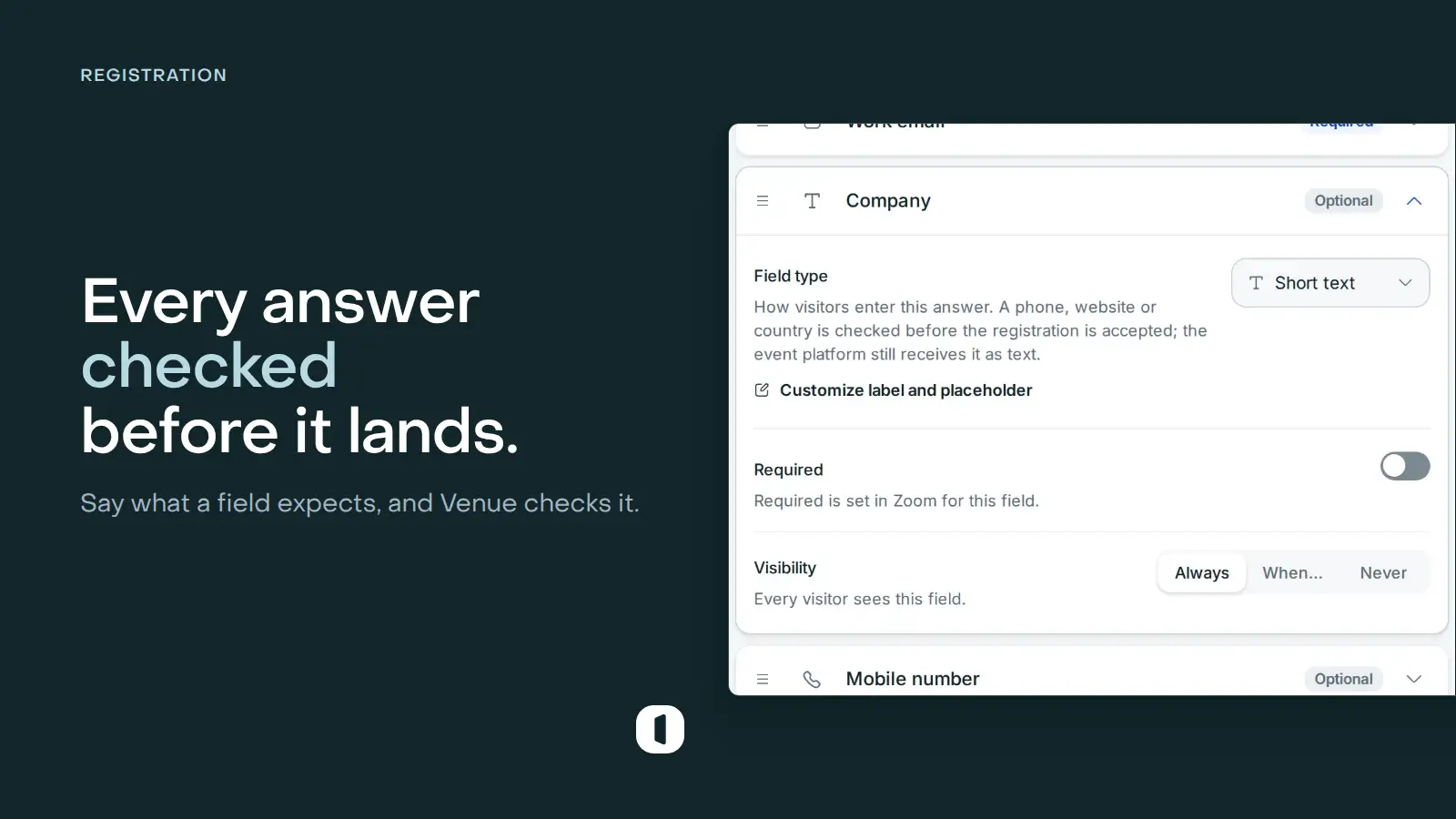
Eight types on top of your platform’s fields
Your event platform sends its custom fields as plain text. In the Form step, open a field’s row and pick what it really asks for under Field type: Long text, Phone, Website, Number, Date, Postal code, Address or Country.
Visitors then get the control that fits: a country selector beside their phone number, a calendar that reads in the language of your page rather than the language of their computer, a paragraph box, a numeric keypad on a phone. The answer is checked before the registration is accepted, and a value that does not fit is refused under its own field, in the visitor’s language.
The platform still receives the answer as text, exactly as before, and the type you chose survives a re-import of the fields.
An address that suggests itself
An Address field suggests real addresses as the visitor types, so a postal address arrives spelled properly instead of four different ways. Picking a suggestion fills the box; the visitor can also ignore it and write their own, which matters for an address no lookup has ever heard of.
It needs nothing configured on your side, and if the lookup is unavailable for any reason the field stays an ordinary text box: a registration is never blocked by it.
Multiple-choice questions keep every answer
A Livestorm question that lets people pick several answers used to arrive in Venue as a single dropdown, so your page collected one answer where your Livestorm form collects several. Those questions now show as a list of checkboxes, and every ticked option is kept.
A page created before this change still carries the old single dropdown. Open it, go to the Event step and re-pull the event: the question comes back as a multiple choice, with its options.
Clean data on the way in
A phone number is stored and forwarded in international format (+33 6 12 34 56 78), the format an SMS tool or a CRM expects, whatever the visitor typed. A website gets its https when it was left out. A date is stored the same way whatever calendar the visitor uses, and a number typed as 1 234,50 is stored as a plain 1234.50.
A typed field filled from a link, on a hidden field, is dropped when its value does not fit rather than blocking the registration. The placeholder is yours on a connected page too: no event platform has that setting, so the example shown inside a field is Venue’s own. Leave it alone and the field suggests what its type expects.
In-person pages get the same types, and Address and Postal code join the fields you can add.